

RAYMOND OGLESBY @RaymondOglesby2
March 26, 2024
This is for the iPhone. Screenshots are from iPhone 14 Pro running iOS 17+
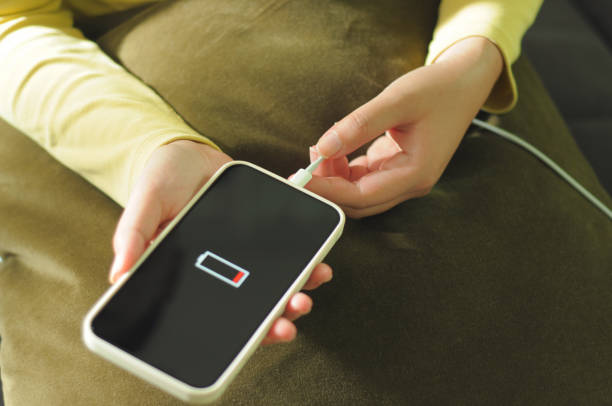
If you struggle to make it through the day or just want to improve your iPhone battery a little, here is one thing you can do.
It all comes down to your phone’s Wi-Fi settings.
Some settings can search for open wireless networks and even notify you when one is available. This setting allows you to connect to open Wi-Fi networks easily, but it does come with a huge disadvantage; it leaves your phone constantly searching for those open networks throughout the day.
While it is not going to drain your battery extremely fast, using the Ask to Join Networks feature can drain your battery a little. By default, Apple has the iPhone set up to Notify you when an open network is available. However, you can turn this off to save power and improve your iPhone battery.
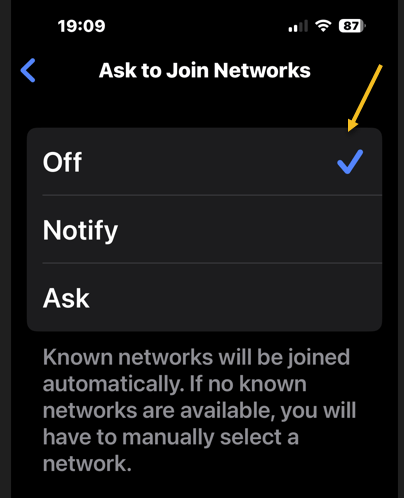
To turn off the Ask to Join Networks feature, head to:
Settings> Wi-Fi > Ask to Join Networks
This option is below the Other Networks section. If it is not set to off, tap on the option and then select OFF from the drop-down that appears to disable the feature. Refer to the below image:
Disclaimer
Technology is always changing and rarely is there static tech for smartphones and desktops. Thus, the contents of this post are only valid at the time of writing. Blog posts older than six months may have directions incompatible with your device or OS. Hopefully, older post content will continue to work as advertised. Thank you for reading TechSavvy.Life for Technology at Work For You.
Quote For the Day
Should you find yourself in a chronically leaking boat, energy devoted to changing vessels is likely to be more productive than energy devoted to patching leaks.
Warren Buffett
Tweet Info
That’s it. Please feel free to share this post! One way to share is via Twitter.
Just click the Tweet icon below. This will launch Twitter where you click its icon to post the Tweet.
Checkout TechSavvy.Life for blog posts on smartphones, PCs, and Macs! You may email us at contact@techsavvy.life for comments or questions.
Tweet
I Would Like to Hear From You
Please feel free to leave a comment. I would love to hear from you. Do you have a computer or smart device tech question? I will do my best to answer your inquiry. Just send an email to contact@techsavvy.life. Please mention the device, app, and version you are using. To help us out, you can send screenshots of your data related to your question.
Author’s E-Book
You can access the E-book from a Kindle device, the Kindle App for the desktop or smartphone, which is a free app.

 Tech Savvy Life