

RAYMOND OGLESBY @RaymondOglesby2
April 30, 2024
This is for the iPhone running iOS 17.3+. Screenshots are from iPhone 14 Pro running iOS 17.4
Did you know you can take a city tour from the comfort of your home with the Apple Maps app? Apple has a Flyover feature which allows you to view 3D modeling of large worldwide cities.
Flyover is an AR (augmented reality) feature to view a city in various ways as you move your iPhone around. For example, if you position your iPhone parallel to the floor, you can see a complete bird’s-eye view of cities such as New York, Florence, Paris, or Rome.
Selecting a City
First, locate and open the Maps app. Refer to the below page:
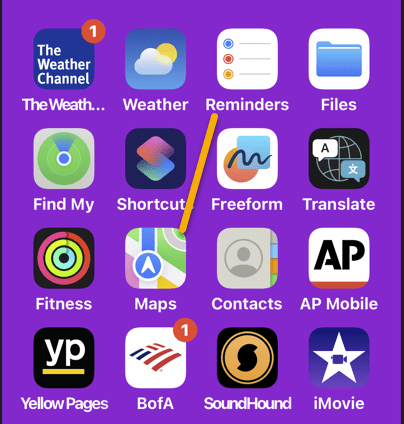
Next, search for a city, such as Paris, France. See the below image:
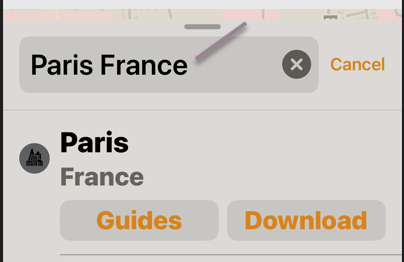
Now, tap the Flyover button. See the following image:

Next, you will see an AR of the City! You can look around by turning your iPhone or by swiping the screen. Refer to the below image:

Start Your City Tour
Now, tap Start Tour. See the below image:
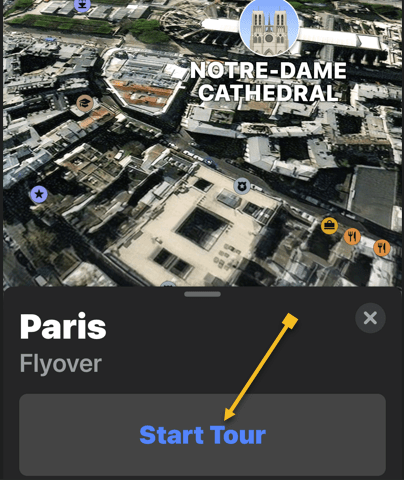
Next, you will view a tour around the city, stopping at various monuments and landmarks with the names listed at the bottom. See the following image:

Pause Your City Tour
Now, you can pause the tour by tapping Pause Tour. Refer to the below image:

Next, you can also deviate from the tour if you would like to see something better. When you let go of the screen, the tour will continue. See the below image:

End Your City Tour
You can exit the tour at any time by tapping the “X.” Icon. See the following image:

Apple should continue adding more cities to the Flyover feature. You can also click to view the complete list of cities set up for the Flyover feature.
Disclaimer
Technology is always changing. Rarely is there static tech for smartphones and desktops. Thus, the contents of this post are only valid at the time of writing. Blog posts older than six months may have directions incompatible with your device or OS. Hopefully, older post content will continue to work as advertised. Thank you for reading TechSavvy.Life for Technology at Work For You.
Quote For the Day
The true entrepreneur is a doer, not a dreamer.
Jan Bushnell
Tweet info
That’s it. Please feel free to share this post! One way to share is via Twitter.
Just click the Tweet icon below. This will launch Twitter where you click its icon to post the Tweet.
Checkout TechSavvy.Life for blog posts on smartphones, PCs, and Macs! You may email us at contact@techsavvy.life for comments or questions.
Tweet
I Would Like to Hear From You
Please feel free to leave a comment. I would love to hear from you. Do you have a computer or smart device tech question? I will do my best to answer your inquiry. Just send an email to contact@techsavvy.life. Please mention the device, app, and version you are using. To help us out, you can send screenshots of your data related to your question.
Author’s E-Book
You can access the E-book from a Kindle device, or the Kindle App for a desktop or smartphone. The apps are free.

 Tech Savvy Life