

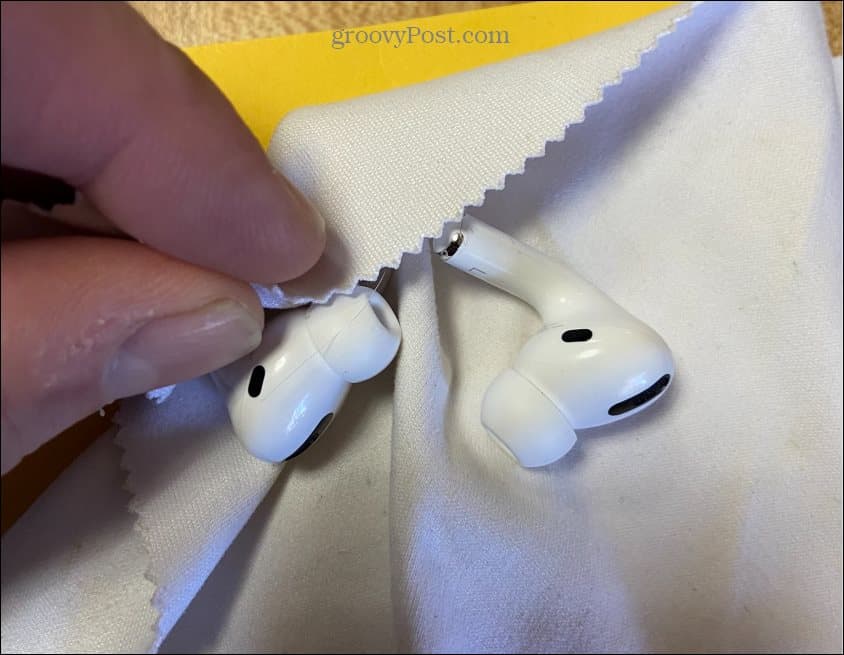
RAYMOND OGLESBY @RaymondOglesby2
August 6, 2024 – 5 minutes read time
This is for Apple AirPod. AirPod Pro and AirPod Max.
Overview
AirPods, Pro, and Max can accumulate dirt and bacteria you do not want to introduce into your ear canal because they can cause irritation or infection. As for your AirPods, an accumulation of wax, sweat, and other substances can affect their performance.
Cleaning those small white AirPods and AirPods Pro can seem pretty delicate. And even the bulky AirPods Max can be baffling because of the mix of materials they are made out of. Let’s explore how to clean your AirPods.
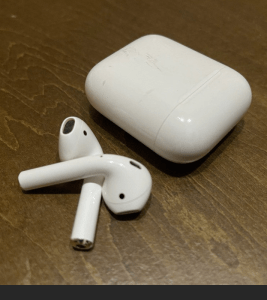
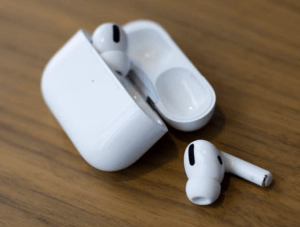
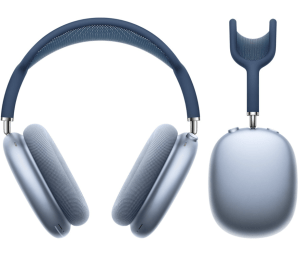
Prevention
The first thing you can do is a bit of prevention. To keep AirPods and AirPods Pro out of dirt and water as much as possible, consider getting a third-party strap so they are attached to each other, making them less likely to fall. You can find many styles, from simple silicone to glitzy gold. When your AirPods Max are not in use, stash them in their case instead of leaving them out or letting them go loose in a bag.
Products to Use and Avoid
The things to have on hand if you want to keep your AirPods clean are pretty simple: lint-free cloths, cotton swabs, and a bit of water will do the job in most instances.
Apple used to only recommend water and lint-free cloths for cleaning most of its products before the pandemic. Now it says it’s okay to use 70% isopropyl alcohol wipes, 75% ethyl alcohol wipes, or Clorox Disinfecting Wipes on the exterior parts of AirPods, AirPods Pro, and AirPods Max. But you should avoid using such wipes on the knit mesh or ear cushion parts of the AirPods Max.
And you should not use bleach or anything with hydrogen peroxide to clean any AirPods.
Maintenance
Maintenance is key to extending the life of your AirPods. For maintenance, clean AirPods, AirPods Pro, and AirPods Max with a dry, lint-free cloth. It does not have to be expensive or fancy like the $19 Polishing Cloth Apple sells. You can clean any microphone and speaker meshes with a dry cotton swab.
Dive Into a Deeper Clean
If your AirPods have gotten something on them like lotion or food (it happens), or have stood up to a lot of sweat, you can take a lint-free cloth, dampen it with a bit of water, and give them a light rubdown. Dry them off with a lint-free cloth and then let them sit out a bit before you put them back in the case. If there’s earwax present, hold your AirPods with the mesh facing toward the ground and go over the mesh lightly with a dry cotton swab. If it’s still stuck, carefully try a toothpick or other small pointed object around the edges of the mesh but be aware that if you exert too much force, you can loosen or dislodge the mesh itself.
The AirPods Pro has an ear tip, so if you want a more thorough cleaning, remove the tips and rinse them with water. If there is earwax or anything else still stuck to them, use a dampened cotton swab to remove it. Dry the ear tips with a lint-free cloth and don’t put them back on until they’re thoroughly dry.
For the AirPods Max, a good cleaning involves wiping them down with a slightly dampened lint-free cloth and then a dry one after. Because the AirPods Max are headphones, there’s more surface area to attract dirt. If the cushions and headband look or feel grimy, you can give them a bit of a wash. Remove the ear cushions first to clean them separately. Then combine a teaspoon of mild detergent with a cup of water and use a lint-free cloth to wipe the band and cushions down with the solution. Follow that with a wipe of just water on a cloth and then dry all the components completely.
Cleaning Your Case
Since your AirPods are often in their case, you also want to keep that clean. You can use a clean, lint-free cloth slightly dampened with water or an alcohol wipe if the case really needs it. Ensure the case is completely dry before you put your AirPods back in. You would do well to turn the case upside down while it dries.
Disclaimer
Technology is always changing. Rarely is there static tech for smartphones and desktops. Thus, the contents of this post are only valid at the time of writing. Blog posts older than six months may have directions incompatible with your device or OS. Hopefully, older post content will continue to work as advertised. Thank you for reading TechSavvy.Life for Technology at Work For You.
Quote For the Day
Tell the world what you intend to do, but first show it.
Napoleon Hill
X (Twitter) Info
That’s it. Please feel free to share this post! One way to share is via Twitter.
Just click the Tweet icon below. This will launch Twitter where you click its icon to post the Tweet.
Checkout TechSavvy.Life for blog posts on smartphones, PCs, and Macs! You may email us at contact@techsavvy.life for comments or questions.
Tweet
I Would Like to Hear From You
Was this post helpful? We would love to hear your comments. Do you have a computer or smart device tech question? I will do my best to answer your inquiry. Just send an email to contact@techsavvy.life. Please mention the device, app, and version you are using. To help us out, you can send screenshots of the data related to your question.
You can access the E-book from a Kindle device, or the Kindle App for a desktop or smartphone. The apps are free.
 Tech Savvy Life