


RAYMOND OGLESBY @RaymondOglesby2
September 8, 2026 –3 minutes read time
Overview
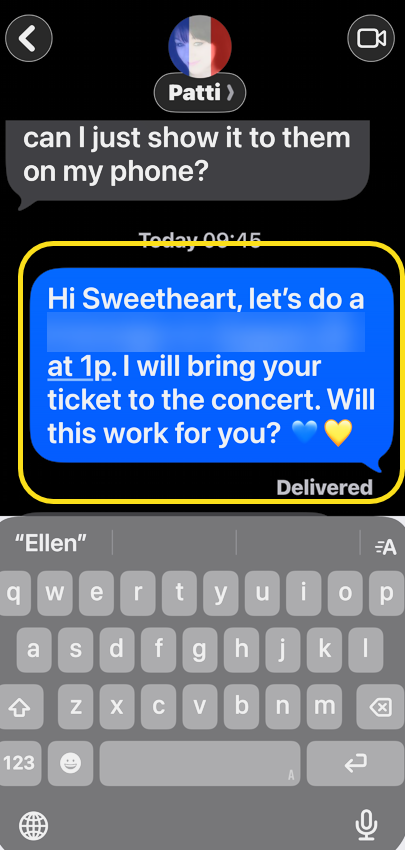
Your iPhone may be hiding parts of your messages due to a glitch. When you open a message, if the keyboard is displayed it may be hiding part of the message you are viewing. This is usually due to iOS failing to reset the layout when viewing a message. When this happens, here is no way to turn off the keyboard being displayed.
The best way to fix this problem is to shutdown and restart your iPhone. We tried this several times over a couple of weeks and the problem persisted. Then, finally a restart corrected the glitch. In the meantime, here are some workarounds to view parts of your message lucking behind the keyboard display.
Key Takeaways
- Workarounds for keyboard hiding parts of your message.
- Reduce frustrations when viewing aa message.
System Requirements
This tip was performed by iPhone 17 Pro running iOS 26.5.
Click here to learn how to update your iPhone to the latest iOS version.
Trouble Viewing Your Messages
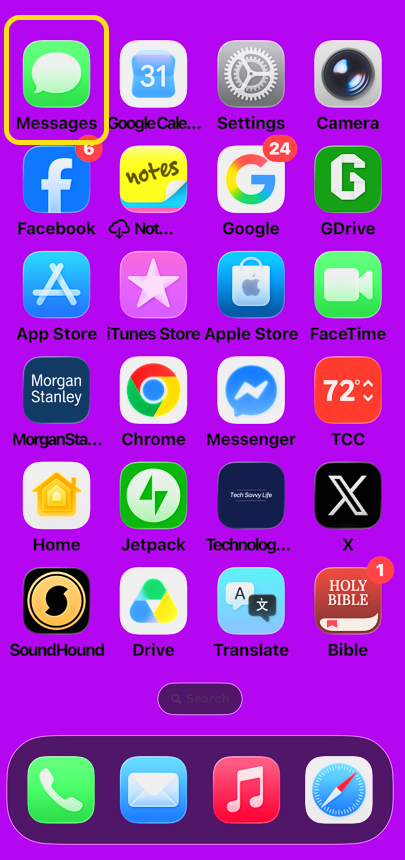
- Open the Messages app. Refer to the image below:
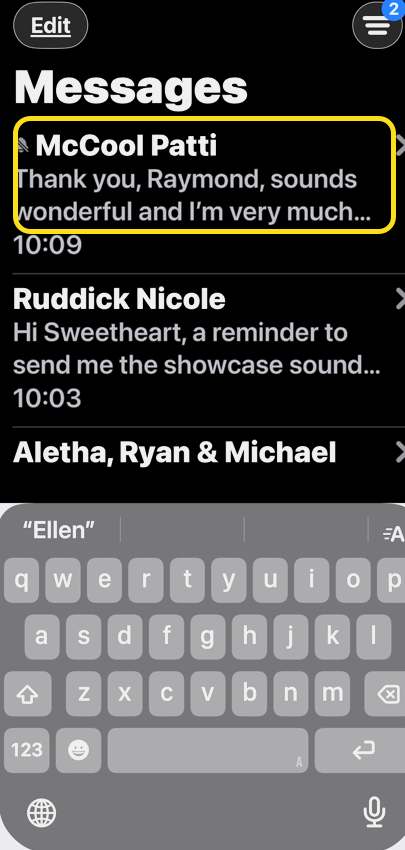
2.If you see the keyboard, parts of a message may be hidden behind the keyboard display. Tap on a message. See the image below:
3. At this point, is there more to the message? We do not know. Your are unable to dismiss the keyboard. See the following image:
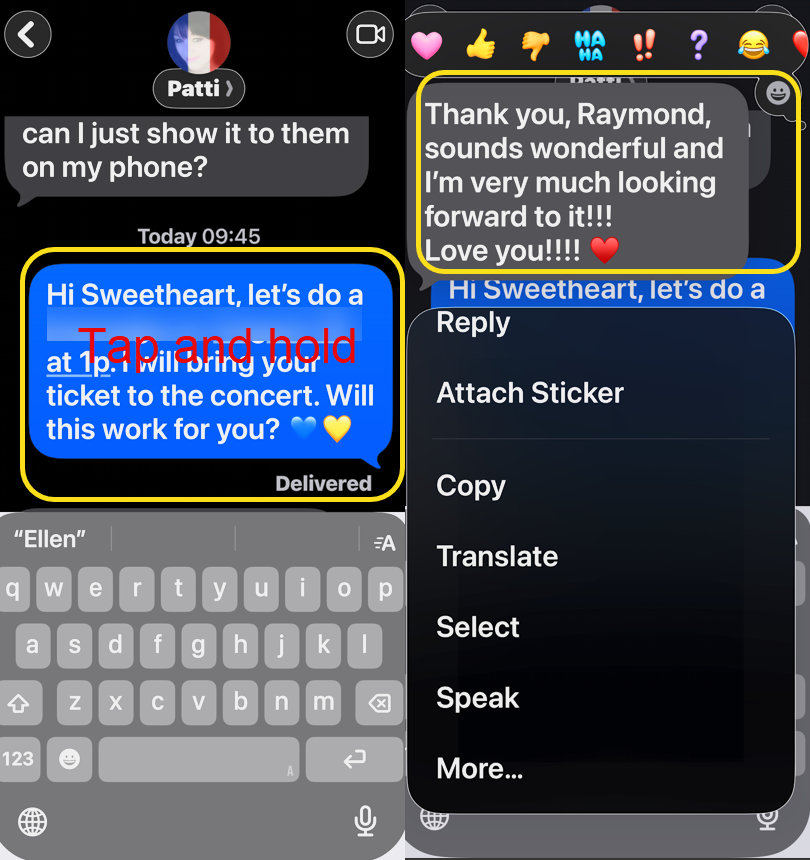
4. Workaround 1 – tap and hold on the message to reveal the missing part at the top of your screen. Refer to the image below:
5. Workaround 2 – double tap the empty space on the keyboard above the letter row to reveal the missing part. See the image below:
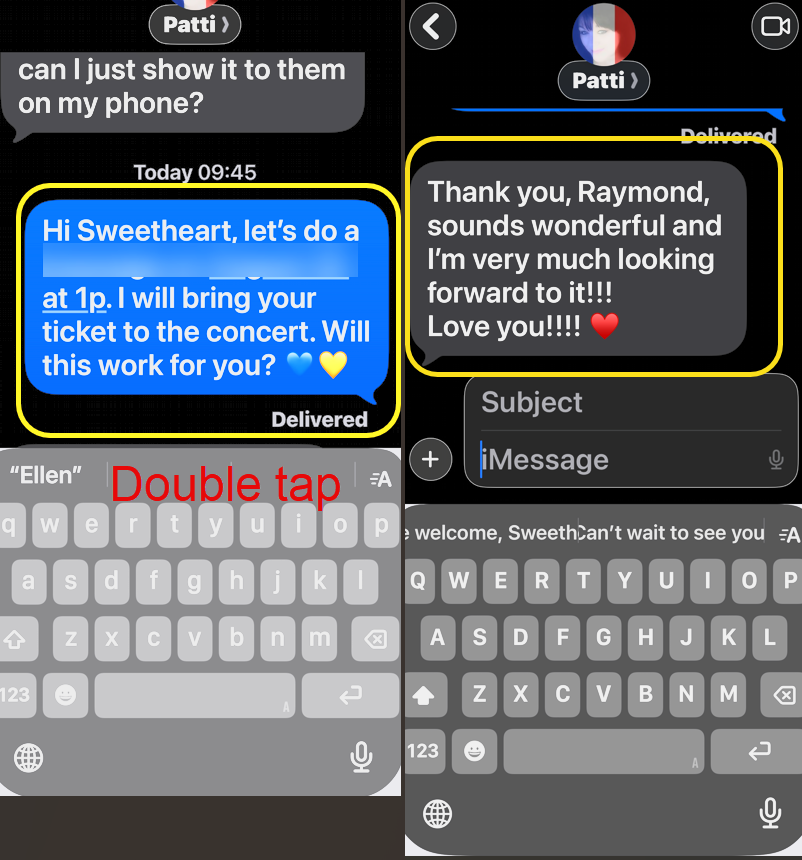
6. Workaround 3 – single tap the empty space at the bottom of the keyboard to reveal the rest of the message. See the following image:
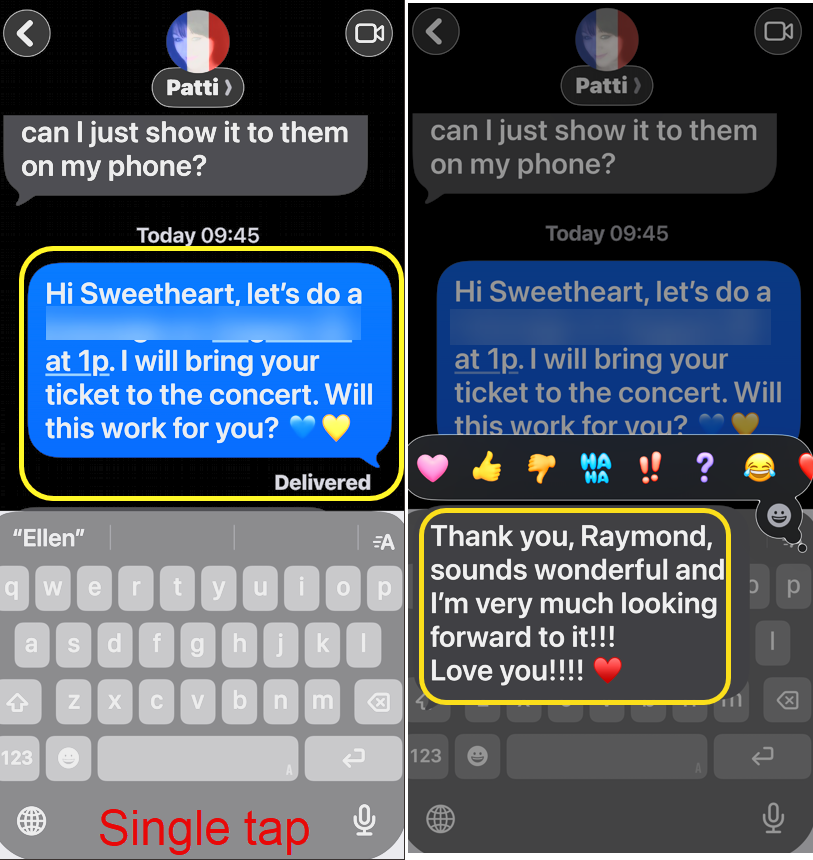
7. Alternatively, you can tap and hold the message, then scroll up keeping your finger on the message. We find this frustrating because a ssoon as you let go of the message, the missing part disappears.
Disclaimer
Technology is constantly evolving, and smartphone and desktop tech rarely remains static. Therefore, the information in this post is only accurate as of the date it was written. Blog posts that are older than six months may contain instructions that are no longer compatible with your device or operating system. We hope that the content from previous posts continues to function as intended. Thank you for reading TechSavvy.Life, where technology works for you.
Quote For the Day
Technology… is a queer thing. It brings you great gifts with one hand, and it stabs you in the back with the other.
– Carrie Snow
(x) Twitter Info
That’s it. Please feel free to share this post! One way to share is via Twitter.
Just click the Tweet icon below. This will launch Twitter where you click its icon to post the Tweet.
Checkout TechSavvy.Life for blog posts on smartphones, PCs, and Macs! You may email us at contact@techsavvy.life for comments or questions.
Tweet
I Would Like to Hear From You
We value your feedback! Was this post helpful? Please share your comments with us. If you have a tech question related to your computer or smart device, feel free to reach out. Just send an email to contact@techsavvy.life, and be sure to include the device, app, and version you are using. To assist us further, you can also attach screenshots related to your inquiry.
The author’s Vietnam eBook, “Battle for Tra Bong Vietnam: Events and Aftermath”, is available on Kindle devices and the Kindle App for desktop, laptop, and smartphone. The apps are free.

