

RAYMOND OGLESBY @RaymondOglesby2
November 3, 2026 –6 minutes read time
Overview
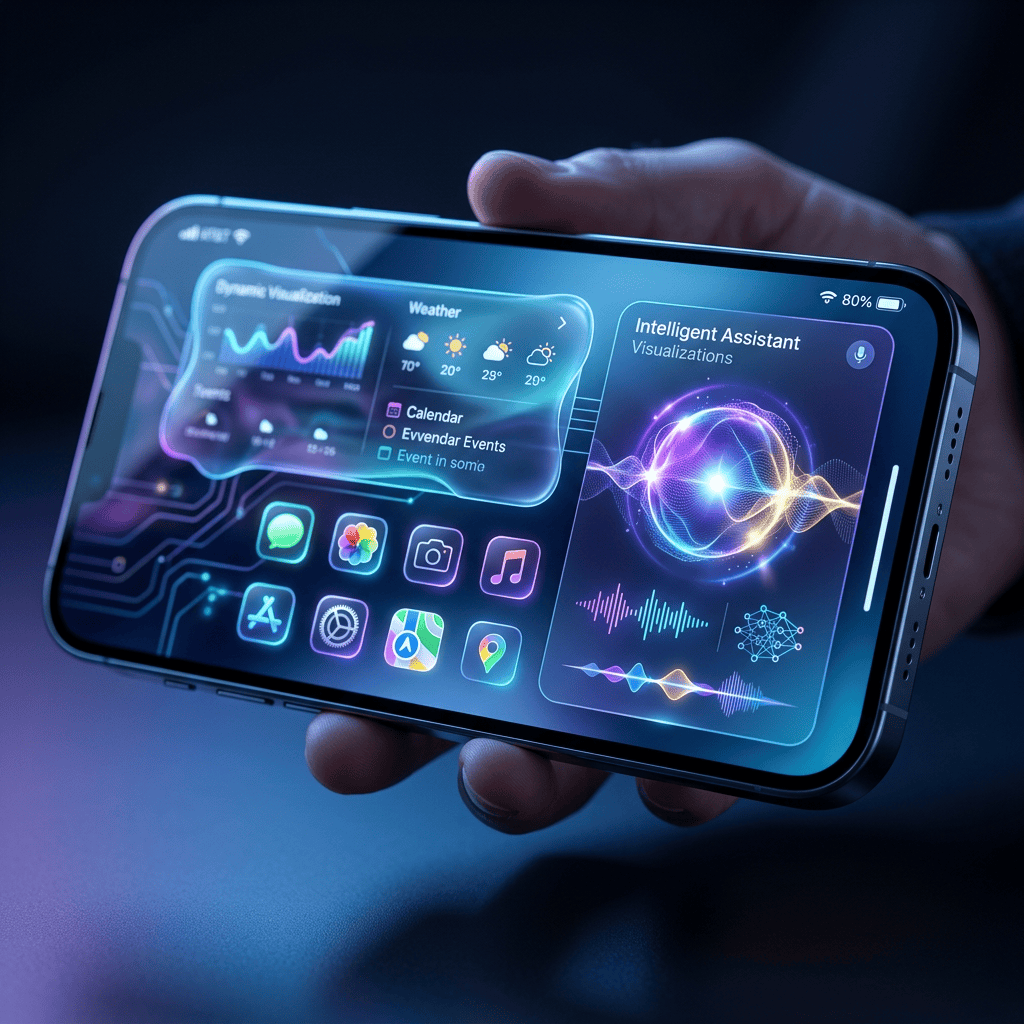
From autonomous agentic Siri workflows to generative AI photo reframing, these new features will have you running to grab the free upgrade.
iOS 27 officially brings next-generation customization and desktop-grade workflows to millions of users worldwide. The update supports the iPhone 11 and newer (including the second-generation iPhone SE) You can start experimenting with these 10 game-changing features .
Key Takeaways
- Discover new features to enhance your experience
- enhance your messages with in app drawing tool
System Requirements
This post was performedon an iPhone 17 Pro running iOS 27.
Click here to learn how to update your iPhone to the latest iOS version.
1. Agentic Siri
iSiri has now gone full Agentic AI in iOS 27. You can now command the assistant to execute autonomous, multi-step tasks across different applications, like locating a fresh PDF download, renaming it, and immediately drafting it into an email. This removes the tedious process of manually opening, closing, and copying/pasting data across multiple apps. iOS 27 finally transforms Siri from a simple voice-trigger tool into a true, autonomous productivity assistant.
2. Siri App Adds a Dedicated Workspace
The Siri screen overlay remains, but iOS 27 also introduces a dedicated, persistent Siri chat application. This new space preserves a history of your research conversations and syncs them across your iPhone, iPad, and Mac via iCloud. It is incredibly useful for deep-dive research sessions where you need to track complex thought threads over several days.
3. Visual Intelligence Adds On-Screen Context
Apple Intelligent allows you to activate Siri inside any active image, web page, or text thread to instantly query whatever is currently displayed on your screen. Siri can now parse context dynamically, allowing you to ask “Where was this photo taken?” or “Summarize this article link” without any manual typing. This brings a powerful, seamless visual search tool straight into the core architecture of iOS.
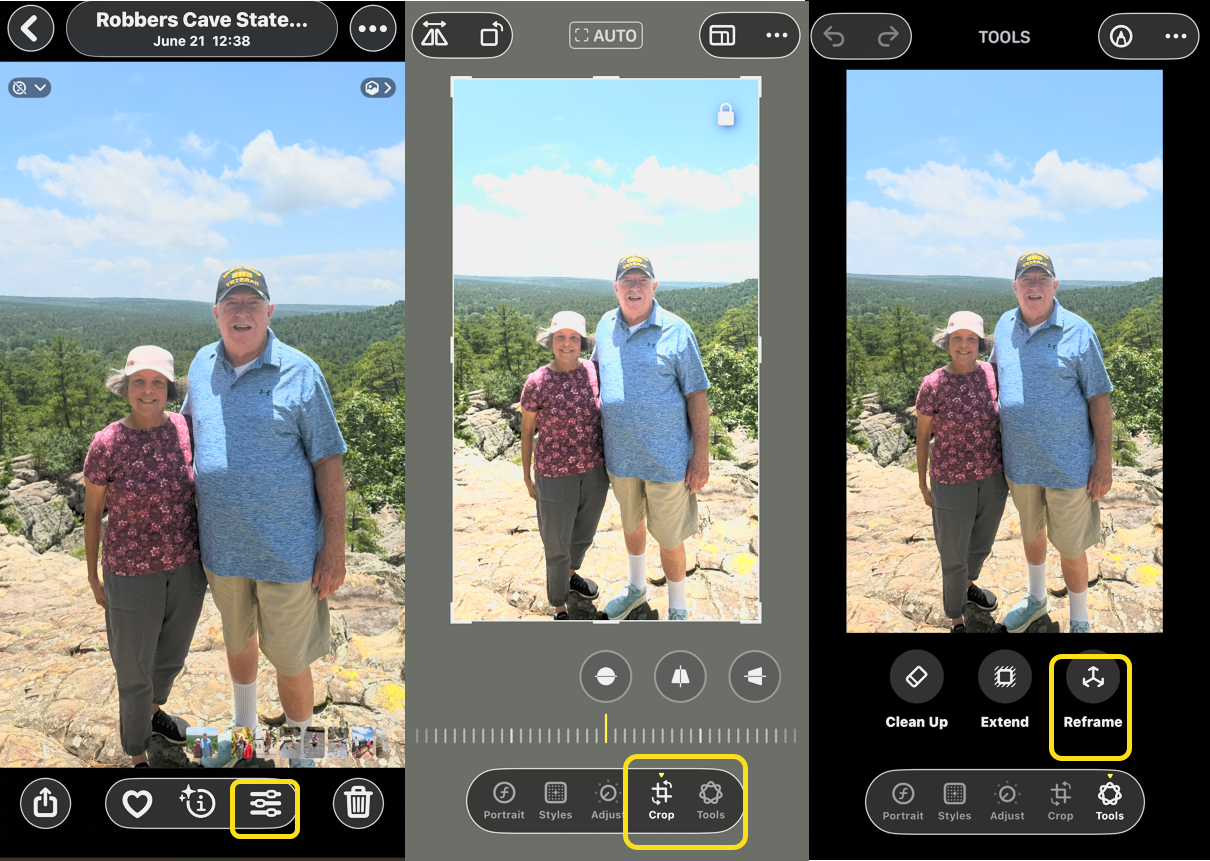
4. Reframe Your Photos With AI
Apple’s new Spatial Reframing feature is a generative AI system that can fix tightly cropped or poorly framed shots. Built directly into the native Photos app, the software analyzes your image and contextually “outpaints” the background borders to intelligently expand the canvas. This is a lifesaver for salvaging great family photos or landscapes where you accidentally cropped out a key detail. Refer to the image below:
5. Freeform Icon Placement
Break completely free from the rigid, top-to-bottom layout grid that has governed the iPhone interface for nearly two decades. You can now anchor application icons and widgets anywhere along the sides or bottom of the screen, leaving intentional blank spaces wherever you like. It finally gives you total aesthetic control to properly frame your favorite lock screen wallpapers and custom themes.
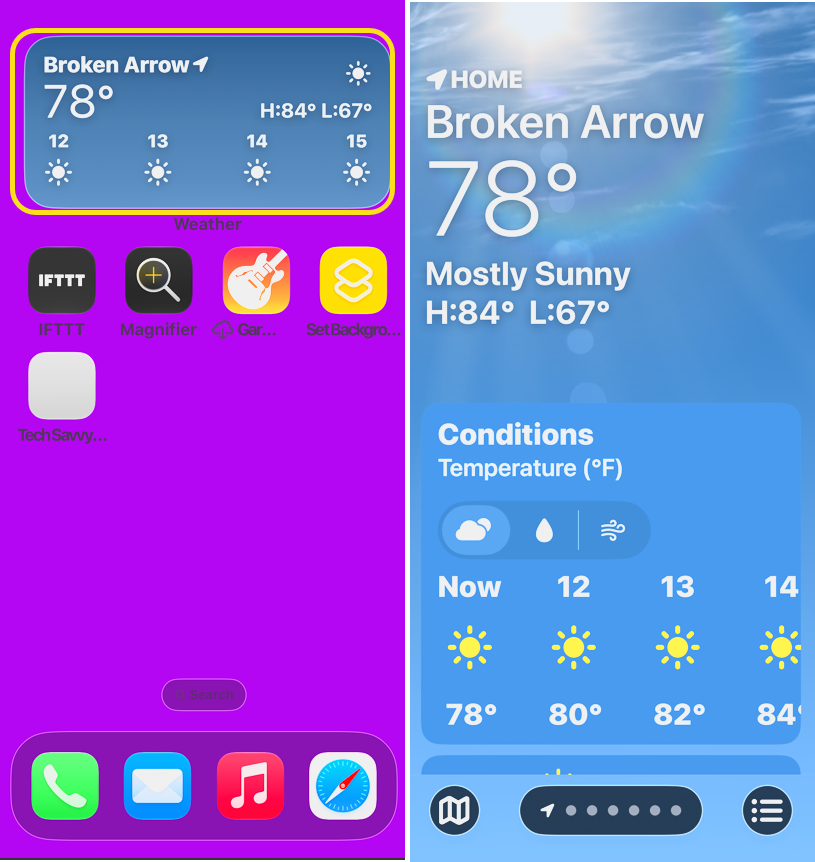
6, Extra-Large Home Screen Widgets
You can now dedicate massive, high-density screen blocks to unified multi-app widgets on your display grid. These expanded containers let you blend interactive calendar schedules, live weather tracking, and active media playback into a single, beautifully organized module. It drastically reduces the need to constantly flip between separate app pages just to check your basic daily stats. See the image below:
7. Dynamic Lock Screen Shortcuts
Swap out the permanent, legacy Flashlight and Camera buttons at the bottom of your lock screen for entirely custom alternatives. You can map these quick-access triggers to activate specific system settings, open third-party apps, or launch custom workflows. This makes your phone much faster to navigate, the literal second you pick it up.
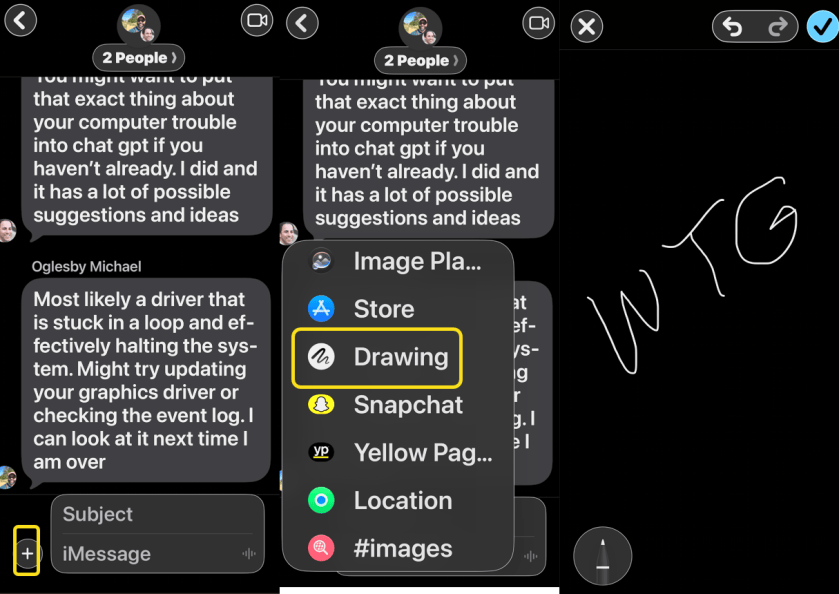
8. In-App Drawing Canvas
Tap the plus sign directly inside an active Messages thread to open a revamped, ultra-low-latency layout board. This tool lets you sketch custom graphics, diagram an idea, or handwrite a quick note mid-conversation without leaving the chat interface. It makes visual communication feel completely native and fluid, especially for collaborative brainstorming sessions. See the following image:
9. Increased Liquid Glass Customization
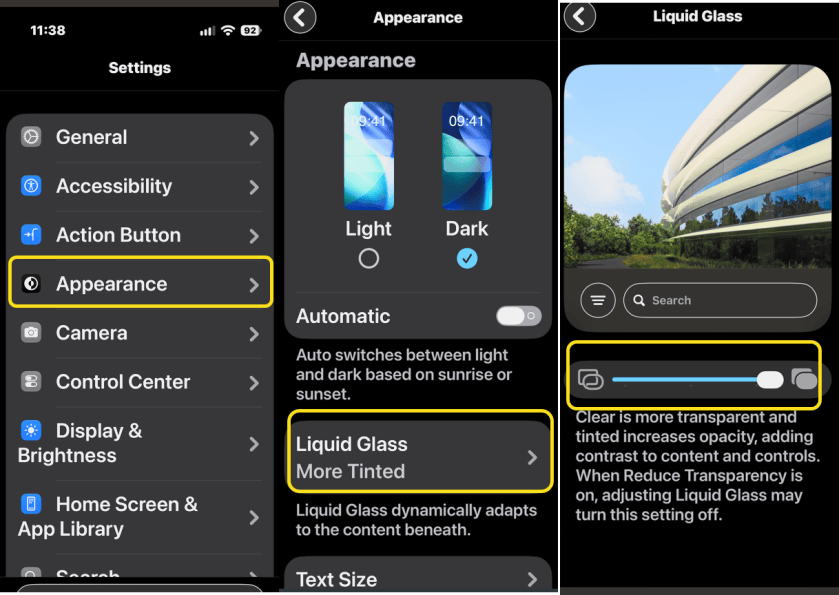
Although Apple introduced the Liquid Glass design language last year, iOS 27 adds a dedicated customization slider to fix its legibility issues. This new toggle lets you manually dial in your preferred level of background translucency. You can shift seamlessly from an ultra-clear crystal design to a solid, high-contrast tinted layout, giving you absolute, pixel-level control to ensure your text and menus remain sharp over any custom wallpaper.
Head to:
Settings > Appearance > Liquid Glass
Refer to the image below:
10. Safari Live Page Tracking
Safari now lets you set automated “Notify Me” tracking flags to monitor visual or text changes on selected webpages. Safari will silently monitor the targeted page in the background and ping you the exact moment the content updates, completely eliminating the need to manually refresh the tab. This is exceptionally useful for tracking moving shipping statuses, fluctuating ticket prices, or flash online sales.
Disclaimer
Technology is constantly evolving, and smartphone and desktop tech rarely remains static. Therefore, the information in this post is only accurate as of the date it was written. Blog posts that are older than six months may contain instructions that are no longer compatible with your device or operating system. We hope that the content from previous posts continues to function as intended. Thank you for reading TechSavvy.Life, where technology works for you.
Quote For the Day
Innovation is the outcome of a habit, not a random act.
- -Sukant Ratnakar
(X) Twitter Info
That’s it. Please feel free to share this post! One way to share is via Twitter.
Just click the Tweet icon below. This will launch Twitter where you click its icon to post the Tweet.
Checkout TechSavvy.Life for blog posts on smartphones, PCs, and Macs! You may email us at contact@techsavvy.life for comments or questions.
Tweet
We Would Like to Hear From You
We value your feedback! Was this post helpful? Please share your comments with us. If you have a tech question related to your computer or smart device, feel free to reach out. Just send an email to contact@techsavvy.life, and be sure to include the device, app, and version you are using. To assist us further, you can also attach screenshots related to your inquiry.
The author’s Vietnam eBook, “Battle for Tra Bong Vietnam: Events and Aftermath”, is available on Kindle devices and the Kindle App for desktop, laptop, and smartphone. The apps are free.

